

Automations
When something happens, the system does the job itself
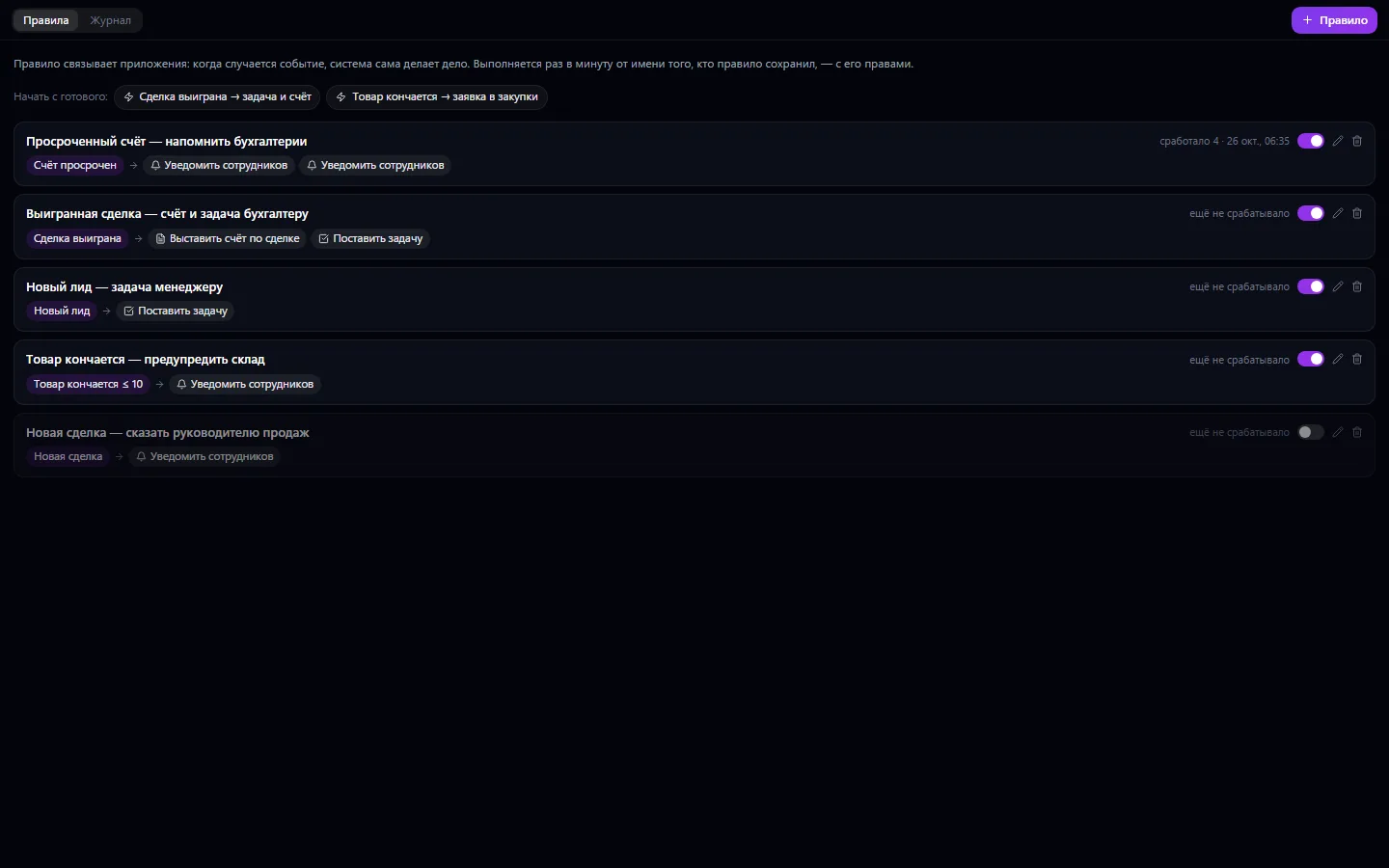
“When… then…” rules that connect the company's apps without a programmer. When a deal is won — a task for the installers and an invoice for the customer; when stock drops below the threshold — a purchase request; when an invoice is overdue or an SLA is breached — a notification to the people responsible, delivered in Telegram too.
Automations: what it does and how it works
“When… then…” rules that connect the company's apps without a programmer. When a deal is won — a task for the installers and an invoice for the customer; when stock drops below the threshold — a purchase request; when an invoice is overdue or an SLA is breached — a notification to the people responsible, delivered in Telegram too. Events come from what the apps already record: deals, tasks, invoices, payments, purchases, work permits, Service Desk tickets. A rule runs once a minute on behalf of the person who saved it — with their permissions, as if they had done it by hand.
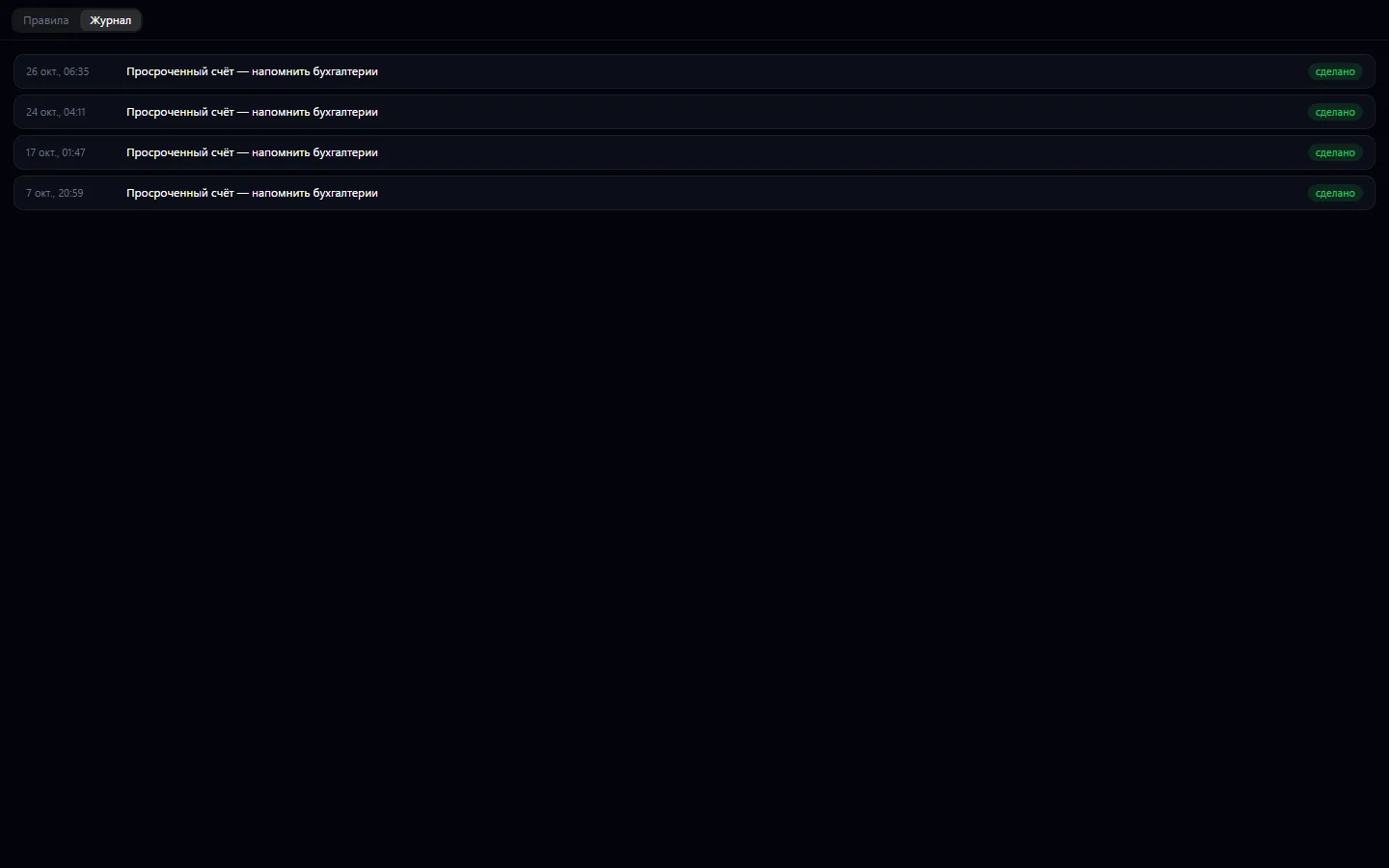
Every rule has a log: what fired, on which record and what was created. Records created by a rule do not trigger other rules on the “created” event, and one rule fires no more than 30 times an hour — so there are no loops. The owner and company administrators set them up.
How to use it, step by step
- 1
Click “+ Rule” or start from a ready-made template
- 2
Choose the “When” event
- 3
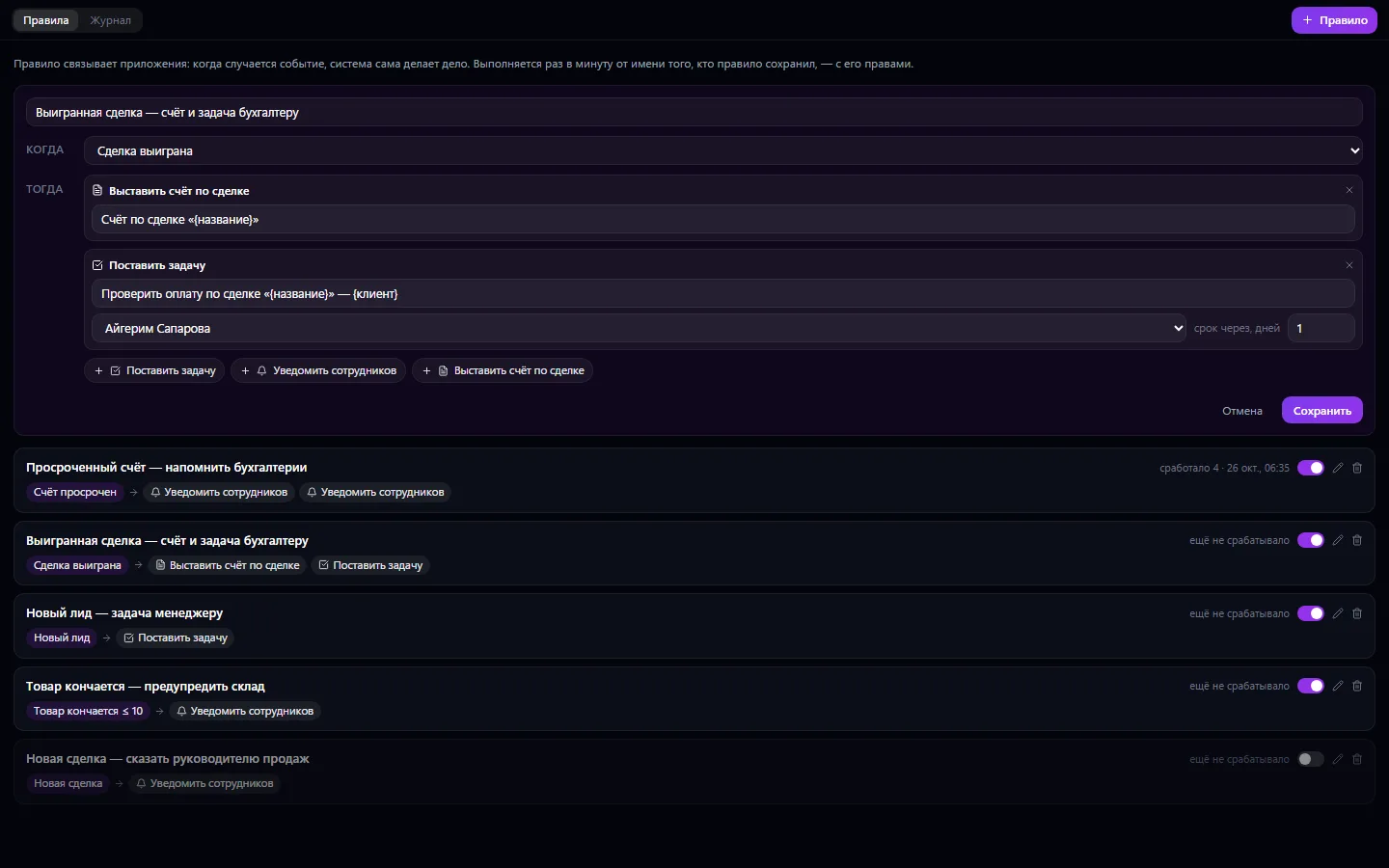
Add “Then” actions and text with placeholders
- 4
Save the rule and turn it on
- 5
Check the log to see what the rule did
What you can do
- A “when this happens — do that” rule with no programming
- Events only from connected apps: CRM, invoices, payments, warehouse, IT, hotel and more
- State-based conditions: item running out, invoice overdue
- Actions: create a task, notify employees, invoice a deal, create a purchase request
- Several actions in one rule
- Text placeholders: {название}, {сумма}, {клиент}, {номер}, {товар}, {остаток}
- Ready-made “Start from a template” options
- Turn a rule on and off with one switch
- Run log: done, error, skipped
- Loop protection: no more than 30 runs an hour
- A rule runs on behalf of its author and with their permissions
- Runs once a minute
What it looks like
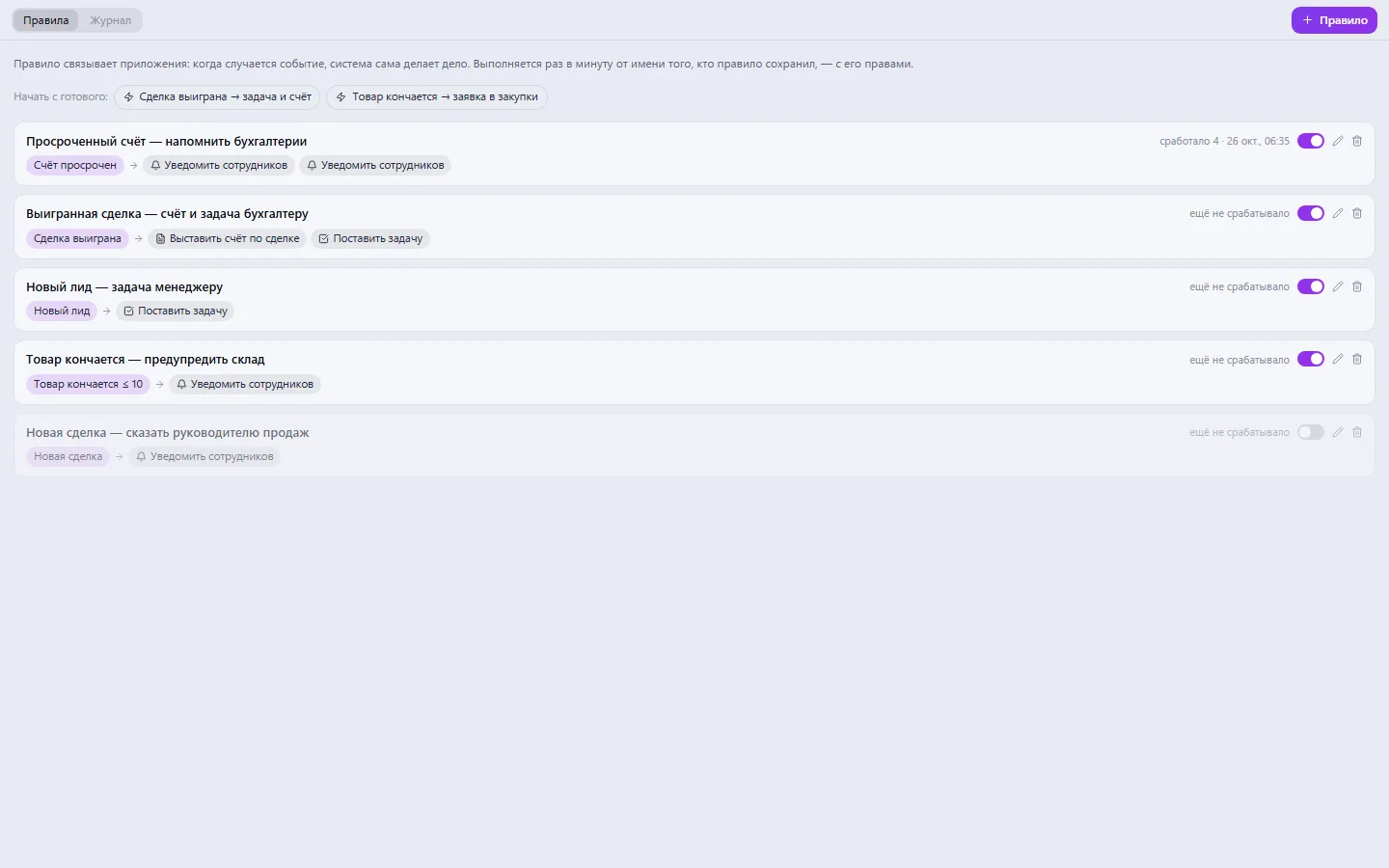
Real app windows with a fictional company as an example. Click a screenshot to enlarge it.
Works together with
- CRM: deals and leads trigger rules
- Invoices: invoice a deal, remind about an overdue one
- Warehouse and Procurement: a request when an item is running out
- Tasks and system notifications are the main rule actions
Related apps
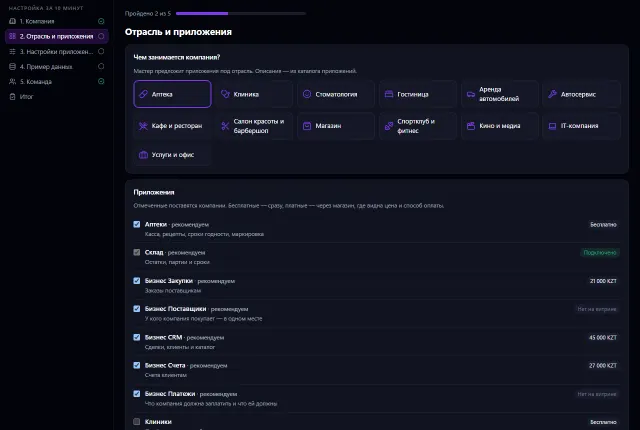
Setup Wizard
Set up your company in 10 minutes: time zone, apps for your industry, ready-made settings, sample data and your team
Learn more about the appTry Automations in your company
Connect your company — the app is enabled in the app store in a minute. If a feature is missing, the CODE44 team can build it for you free of charge.