

Setup Wizard
Set up your company in 10 minutes: time zone, apps for your industry, ready-made settings, sample data and your team
Setup Wizard takes a company from an empty system to a working one in about ten minutes. It suggests apps for your industry, applies ready-made settings with a preview, shows sample data and helps you invite your team.
Setup Wizard: what it does and how it works
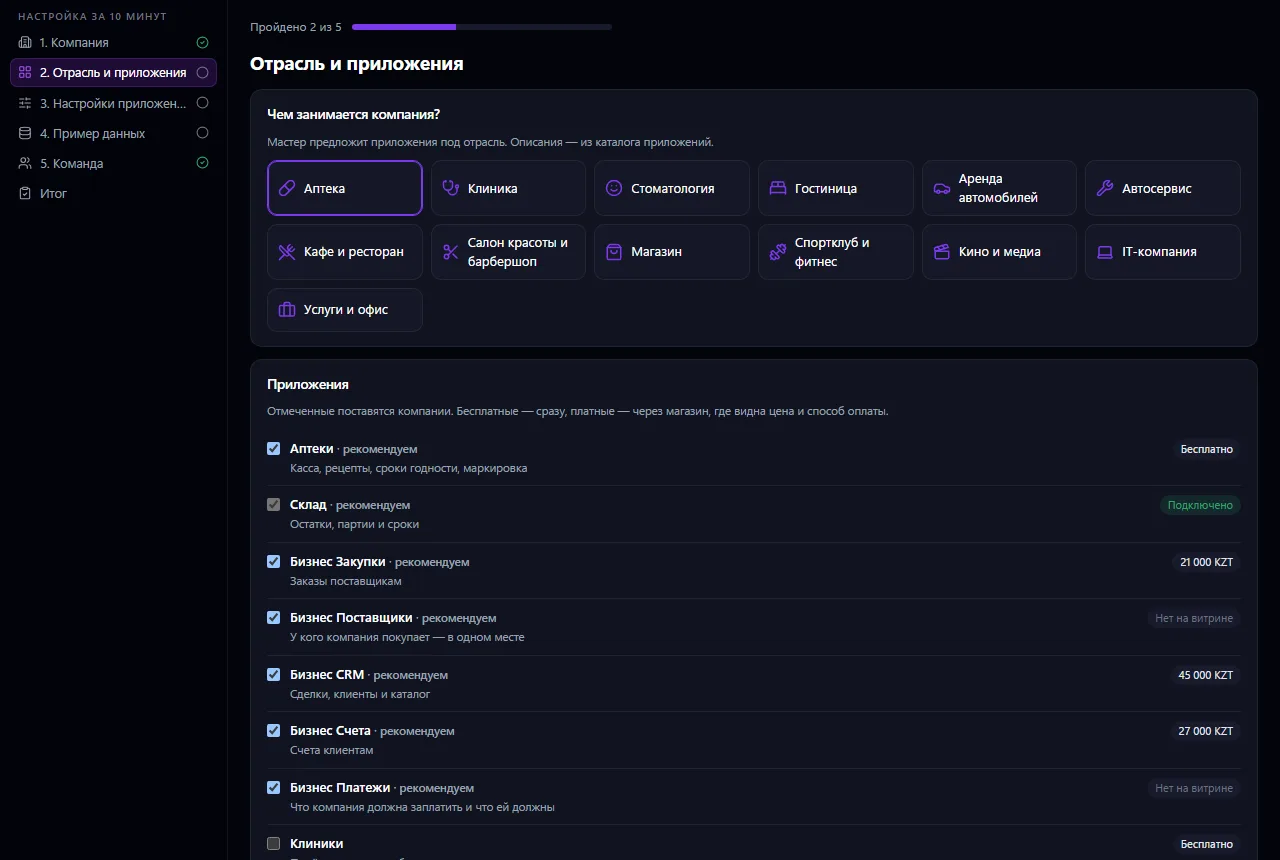
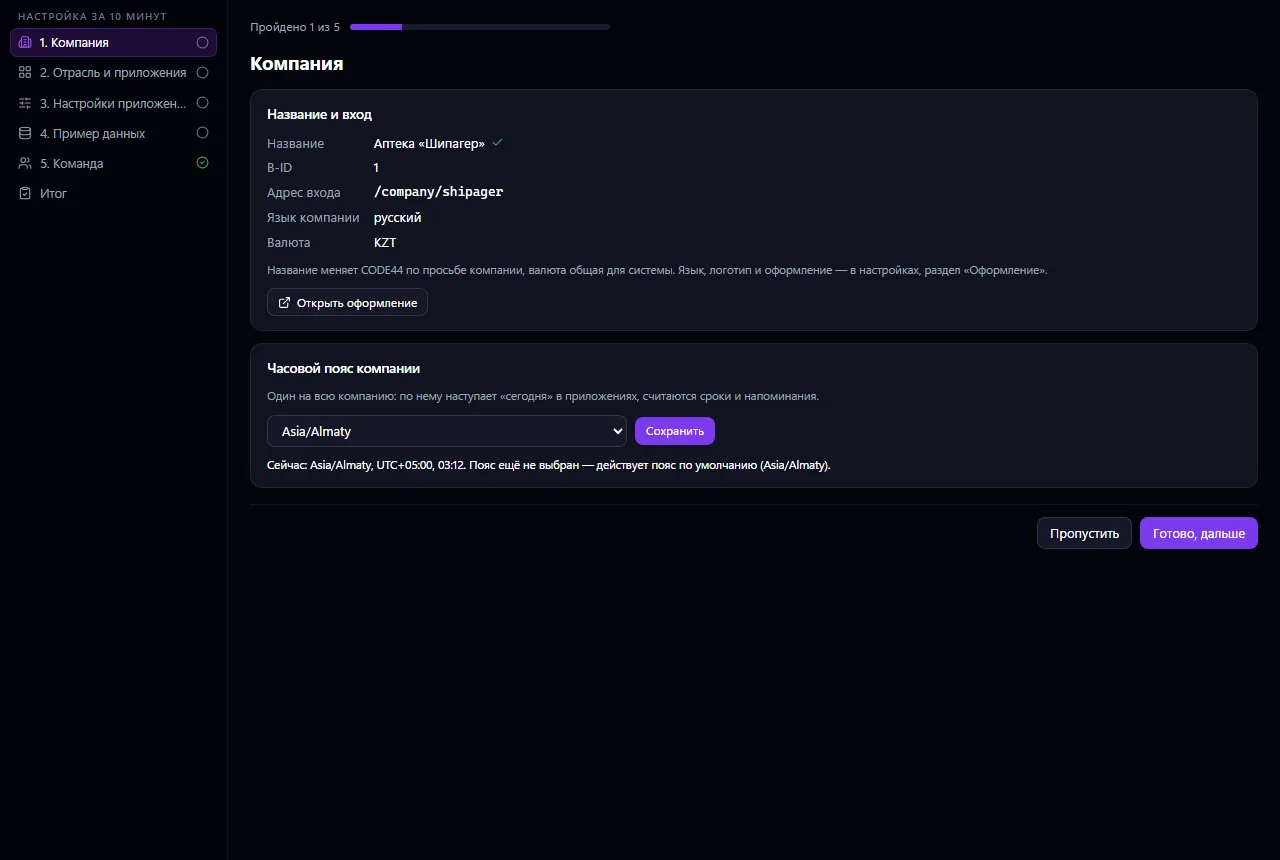
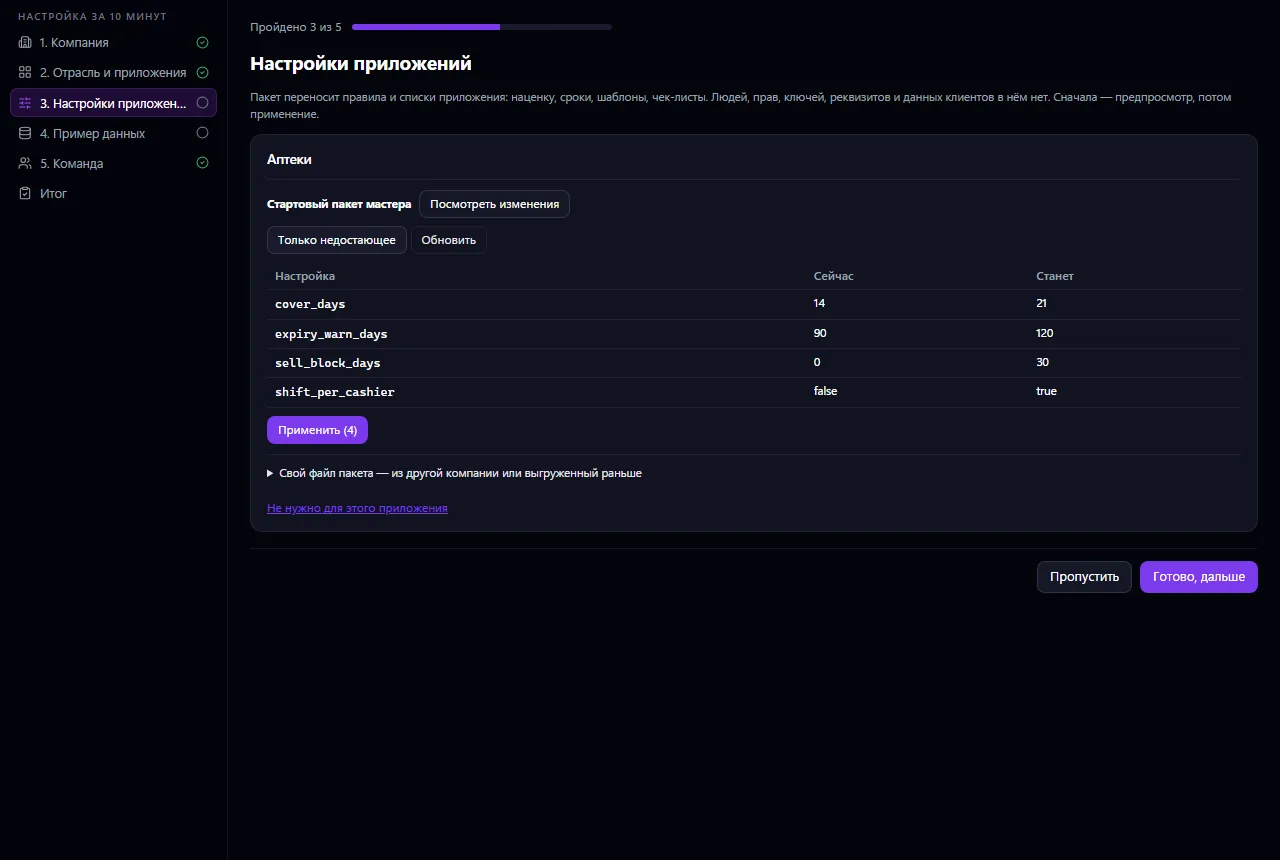
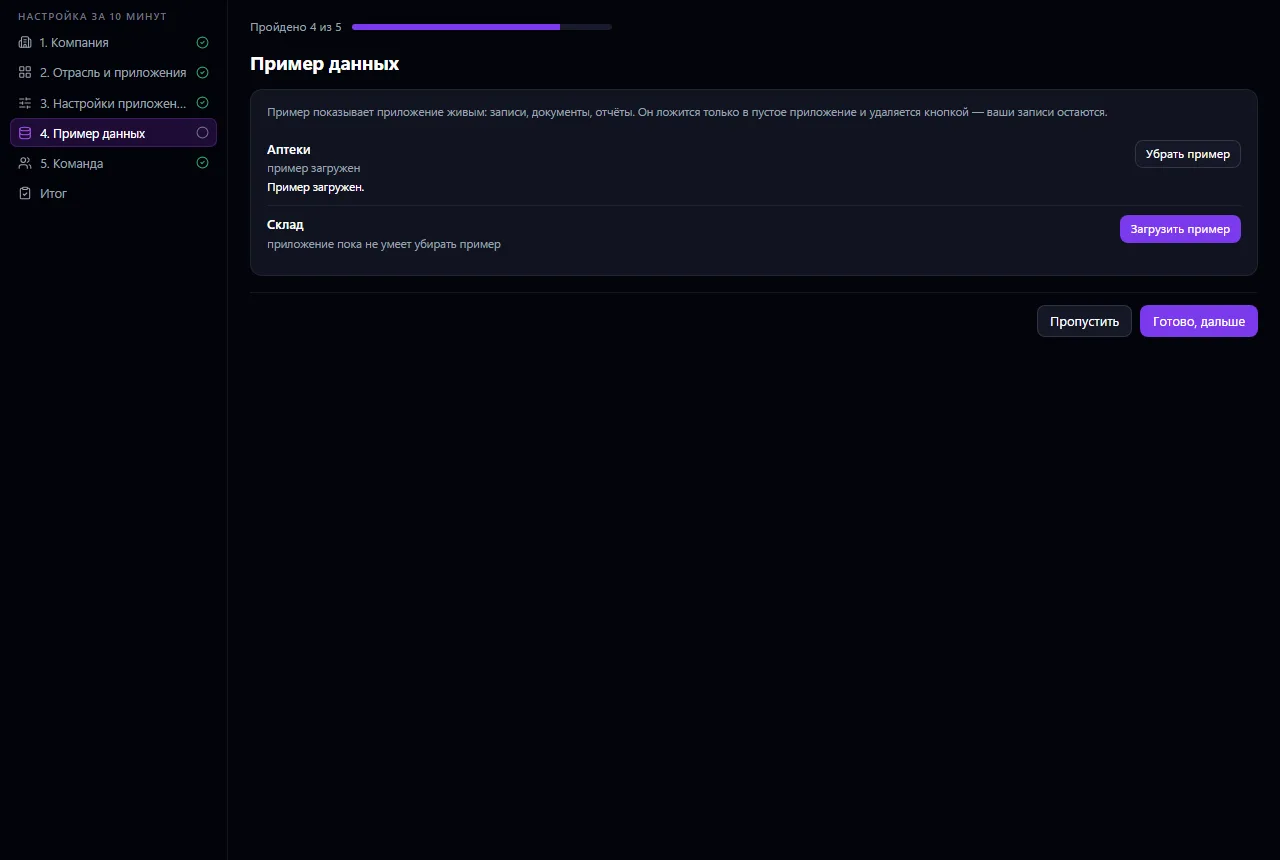
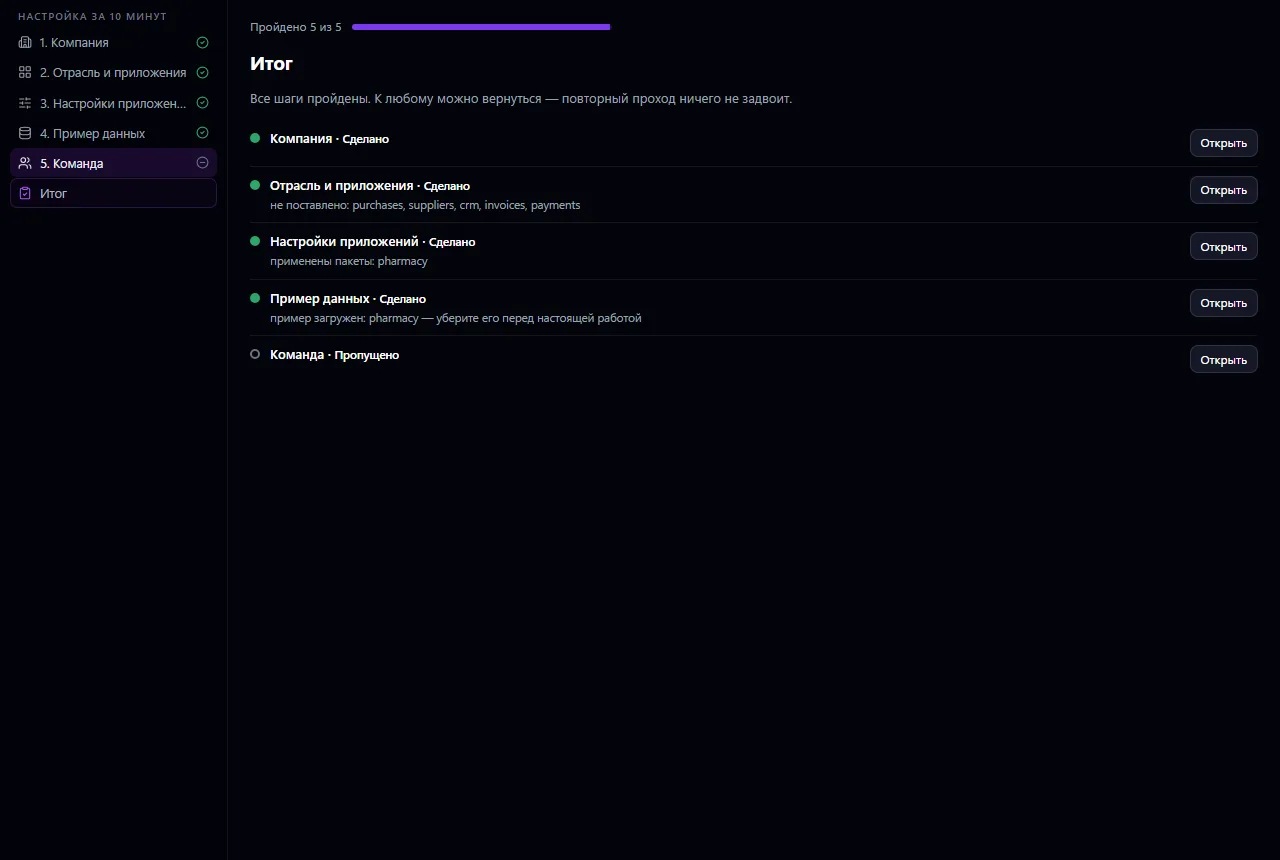
The owner or administrator goes through six steps: checks the company details and sets its time zone, chooses the industry and installs recommended apps from the catalog, applies ready-made settings packages to them (your own file or the wizard's starter package) — with a preview, through each app's own settings transfer — turns sample data on or off and invites the team. At the end — a list: what's done, what's skipped, what's left. Any step can be skipped and revisited later; running it again duplicates nothing.
How to use it, step by step
- 1
Check the company details and set the time zone
- 2
Choose the industry and mark the apps you need
- 3
Review and apply settings packages to the apps
- 4
Load sample data to see the apps in action
- 5
Invite the team and see the summary: what's done, what's left
What you can do
- Five steps and a summary: company, industry and apps, app settings, sample data, team
- Checking company details — name, sign-in address, language, currency — and choosing the company time zone
- Thirteen industries — from pharmacy and clinic to film and IT — with a recommended set of apps for each
- Free apps install right away, paid ones through the Store, where the price and payment method are shown
- Ready-made settings packages for pharmacies, clinics and hotels, or your own package file from another company
- A “now → will be” preview before applying a package, and a “missing only” mode
- A package transfers rules and lists, but not people, permissions, keys, company details or customer data
- Sample data is turned on and off with a button; your own records stay
- A sign-in link for employees and a shortcut to adding the team
- Any step can be skipped and revisited later; running it again duplicates nothing
- Progress is saved — you can continue setup another day
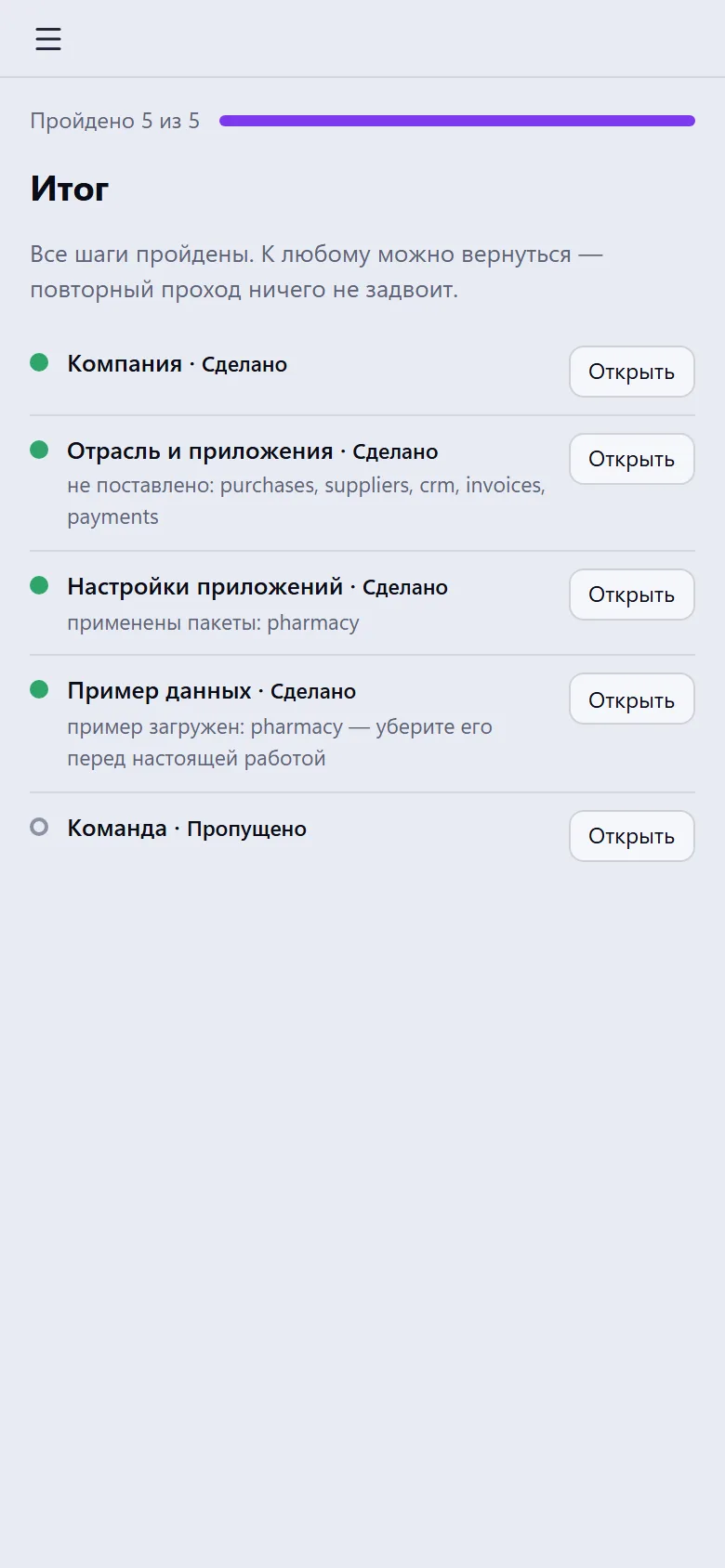
What it looks like
Real app windows with a fictional company as an example. Click a screenshot to enlarge it.
Works together with
- Store — apps install the same way as when buying in the storefront
- Industry apps (Pharmacies, Clinics, Dental Clinics, Hotels, Car Rental, Car Service, Business Catering and others) — the app itself applies settings packages
- Each app adds and removes sample data in its own way
- Clinics, Pharmacies, Car Rental and Car Service use the company time zone if they don't have their own
- Team — adding employees and the sign-in link
Not connected yet
We are honest about what works only with an external provider or is still planned:
- Starter settings packages are currently available only for pharmacies, clinics and hotels
- Not every app can remove its sample data
- Apps that aren't in the storefront are connected by CODE44 at the company's request
Need an integration for your company? Tell us about the task.
Try Setup Wizard in your company
Connect your company — the app is enabled in the app store in a minute. If a feature is missing, the CODE44 team can build it for you free of charge.