

IT service: tickets, releases and SLA
An incident after a deployment, an overdue response and a “where is my request” ticket usually live in three different systems. In Business OS, these are three apps on a shared core: Service Desk, Releases and SLA. Each works on its own, and together they know about each other: which release caused an incident and how many deadline breaches are behind it.
For IT departments, service companies and development teams.
Each app in detail
What you can do
Service Desk
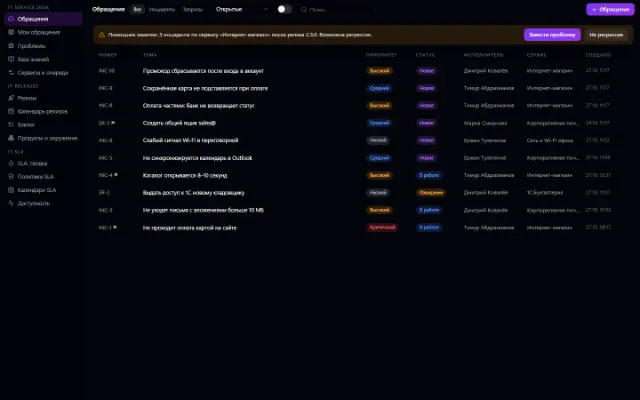
Incidents, requests, problems, queues, categories, services and a knowledge base. Conversations with internal notes, assignment, escalation and a “My tickets” portal.
Releases
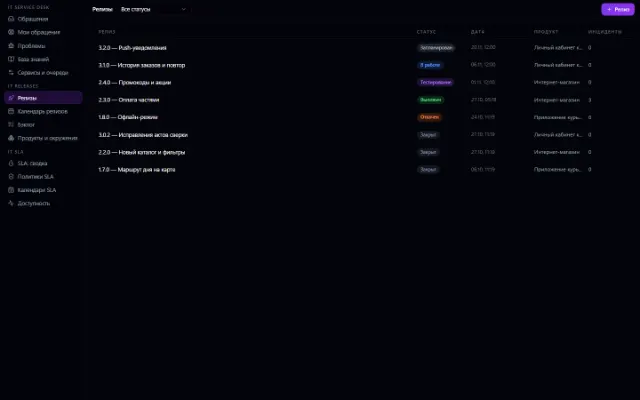
Products, versions and releases, a release plan and calendar, environments and deployments, rollback and release notes.
SLA
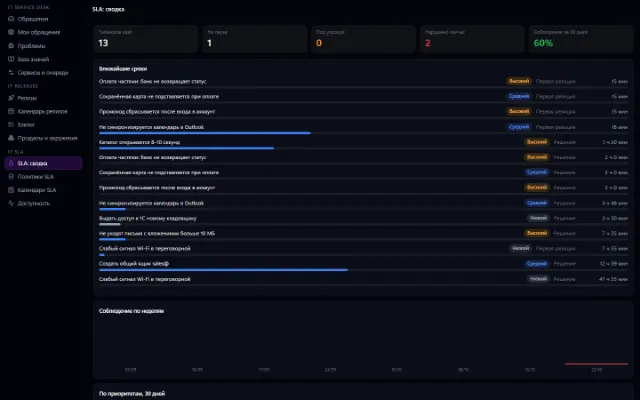
Policies by priority, service and customer, business calendars, first-response and resolution timers with pausing while waiting, warnings and escalations.
Together — one picture
A ticket shows SLA timers and the linked release; a release shows how many incidents it caused and how severe they are.
Example: an incident after a deployment
- 1
Accept the ticket
An employee writes in the portal, the ticket joins the queue, and SLA timers start.
- 2
Find the cause
Link the incident to a release: the system shows a possible regression signal.
- 3
Close and review
The resolution goes to the user, and deadline breaches are attributed to the release for review.
Requirements and compatibility
The apps are connected separately or as the IT Suite bundle. A nightly SLA sweep without an open session doesn't run yet — timers are recalculated as you work with tickets.
Questions and answers
If your scenario is different, tell the CODE44 team about it.
Discuss your needsCan I take only Service Desk?
Yes. Each app works on its own; the links appear when both are connected.
Is there a portal for employees?
Yes, “My tickets”: an employee sees their requests and the conversation on them.
Are working hours taken into account?
Yes. Business calendars set working hours and holidays, and timers pause while waiting.
A workspace built around your tasks
We want every company to work comfortably. The CODE44 team can build additional features for you free of charge: we will discuss the task, scope and implementation order.
Business OS is updated continuously with the support of a team of more than 40 people. Delivered features and plans are collected in the development plan.