

Business Payments
What the company owes and what it is owed
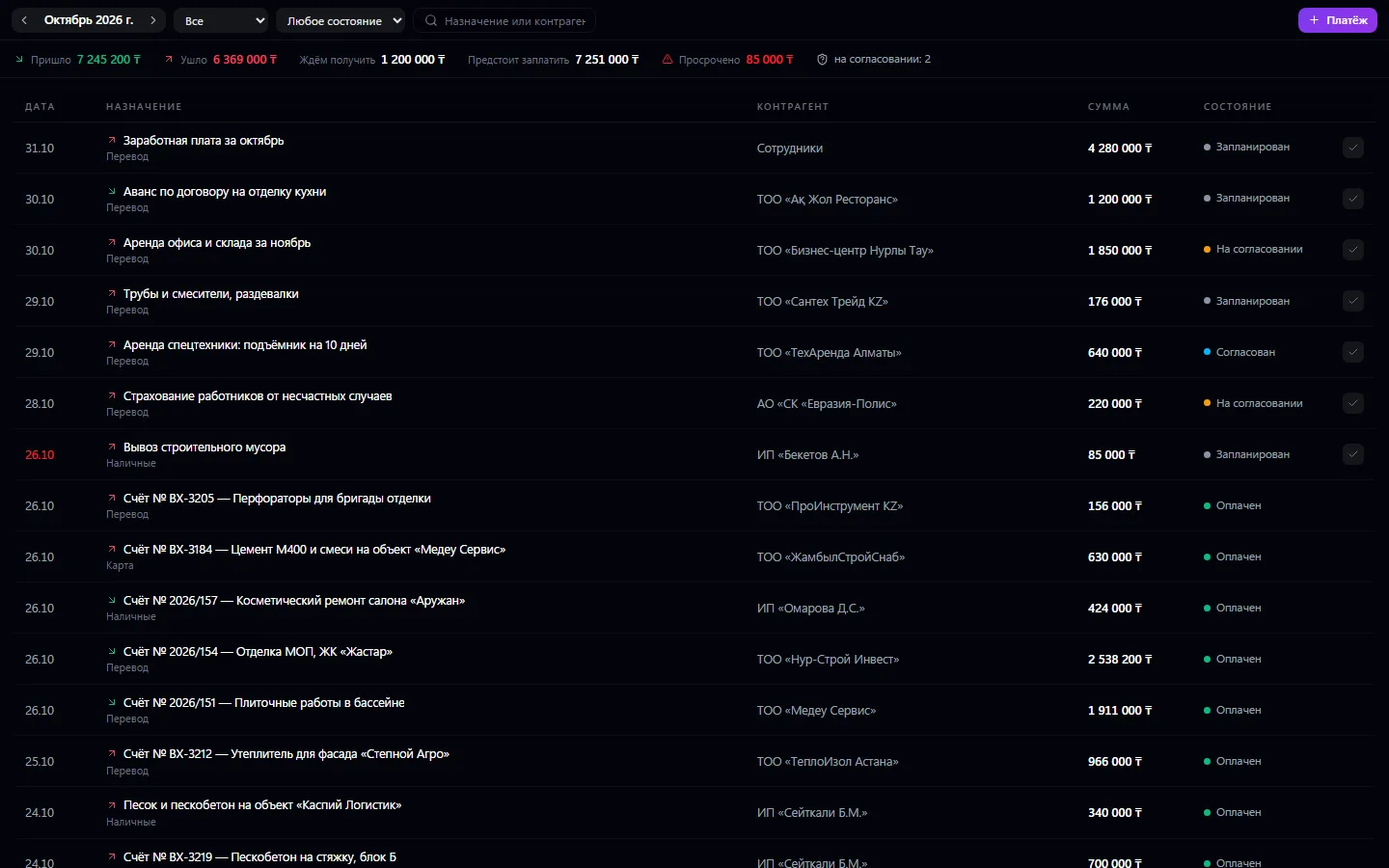
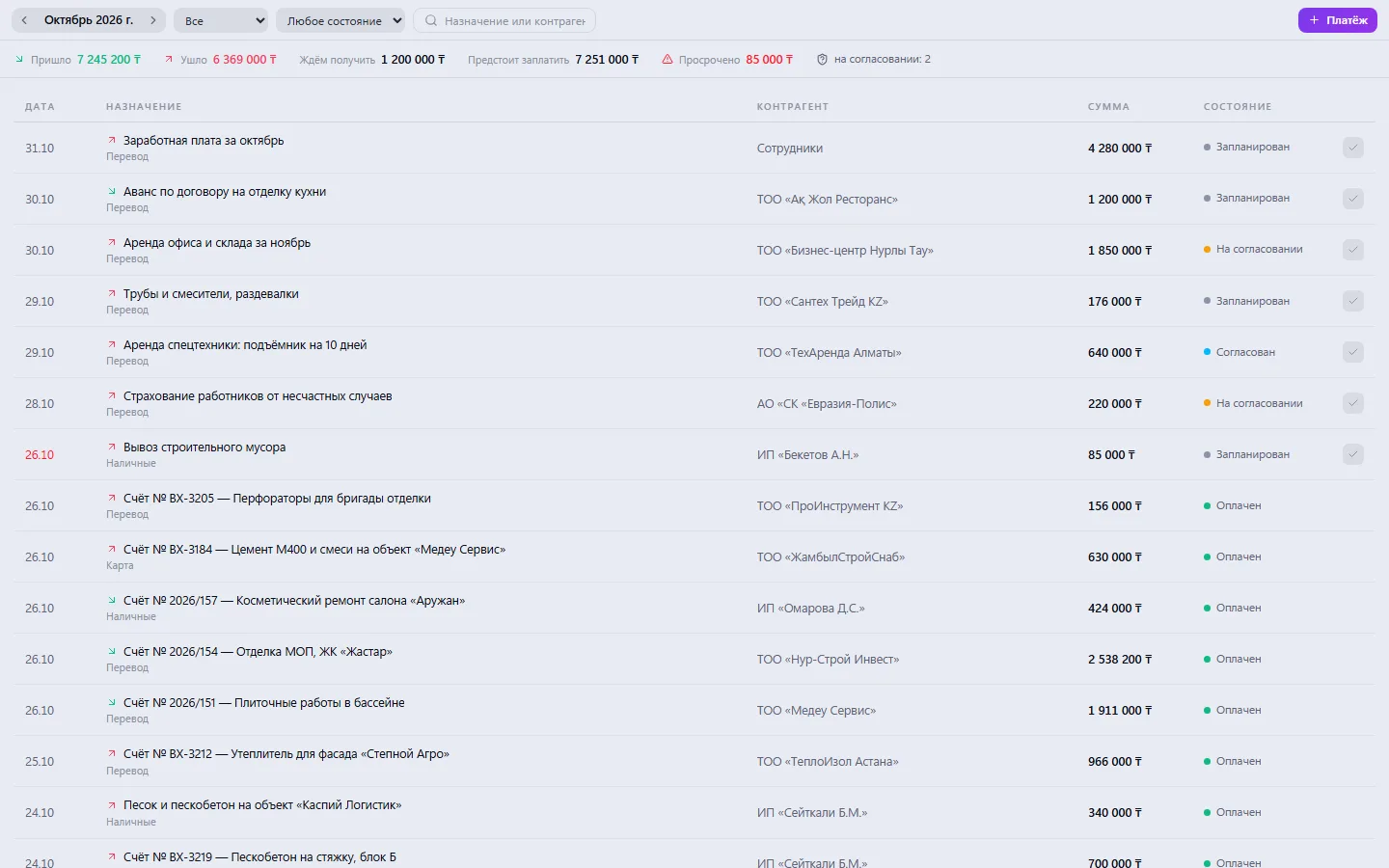
The company's payment register: incoming and outgoing, with date, amount, purpose and status — planned, pending approval, paid, rejected. A large payment goes to management for approval in one click and comes back as a decision, not a chat thread.
Payments: what it does and how it works
The company's payment register: incoming and outgoing, with date, amount, purpose and status — planned, pending approval, paid, rejected. A large payment goes to management for approval in one click and comes back as a decision, not a chat thread. A paid payment goes into Finance automatically and is counted in profit — no need to enter it there a second time. A payment is linked to an invoice, supplier and purchase, so any of them shows whether it has been paid.
How to use it, step by step
- 1
Click “+ Payment” and enter the direction, amount, purpose and date
- 2
Choose the supplier or counterparty, payment method and category
- 3
If the amount is large, send the payment to the manager for approval
- 4
When money goes out or comes in, mark the payment as paid
- 5
At the start of the week, check “Due to pay” and “Overdue”
What you can do
- Incoming and outgoing payments in one register, by month with paging
- Statuses: planned, pending approval, approved, rejected, paid, cancelled
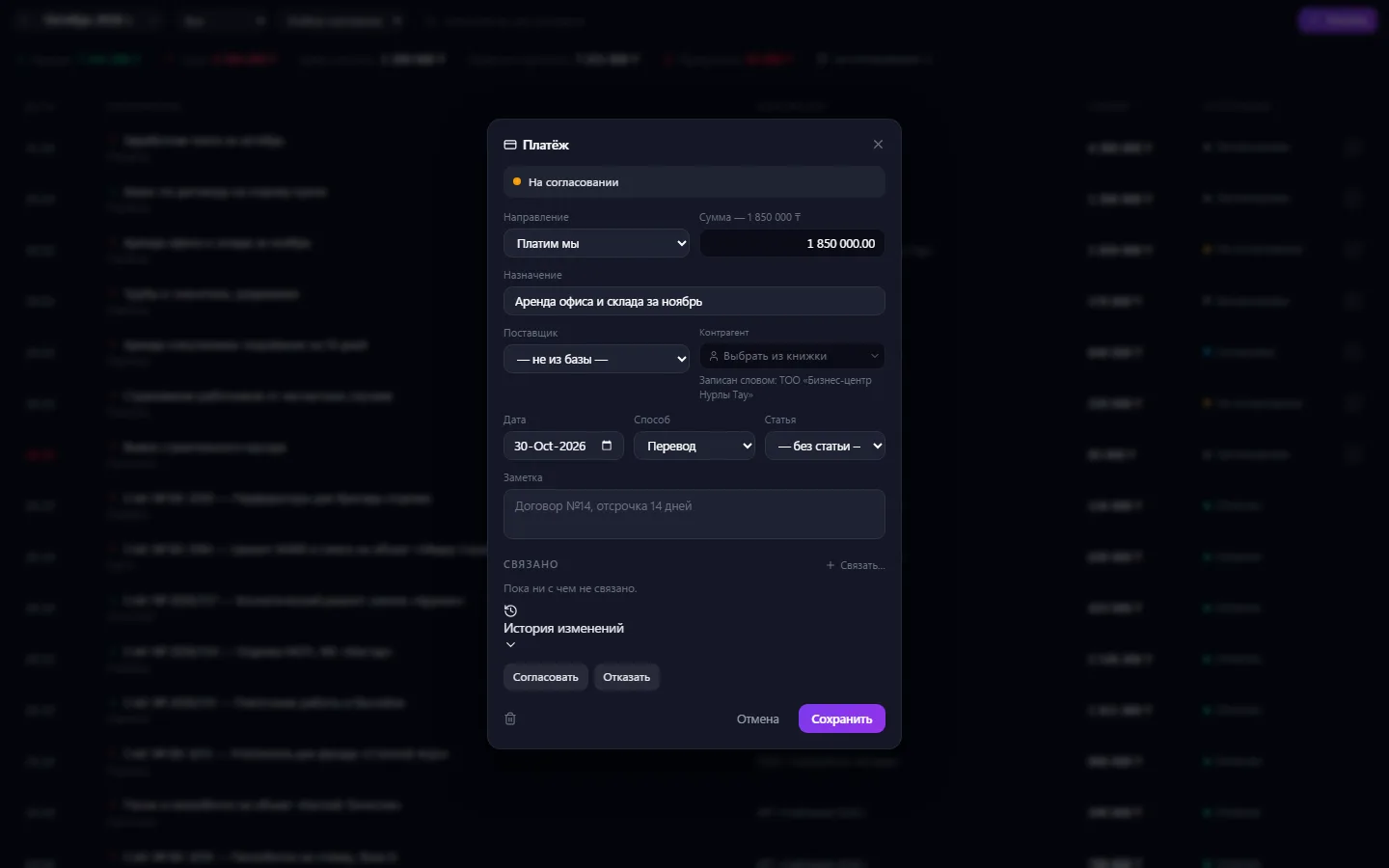
- A large payment is sent to management for approval in one action
- The manager's decision comes back to the payment by itself — no chat needed
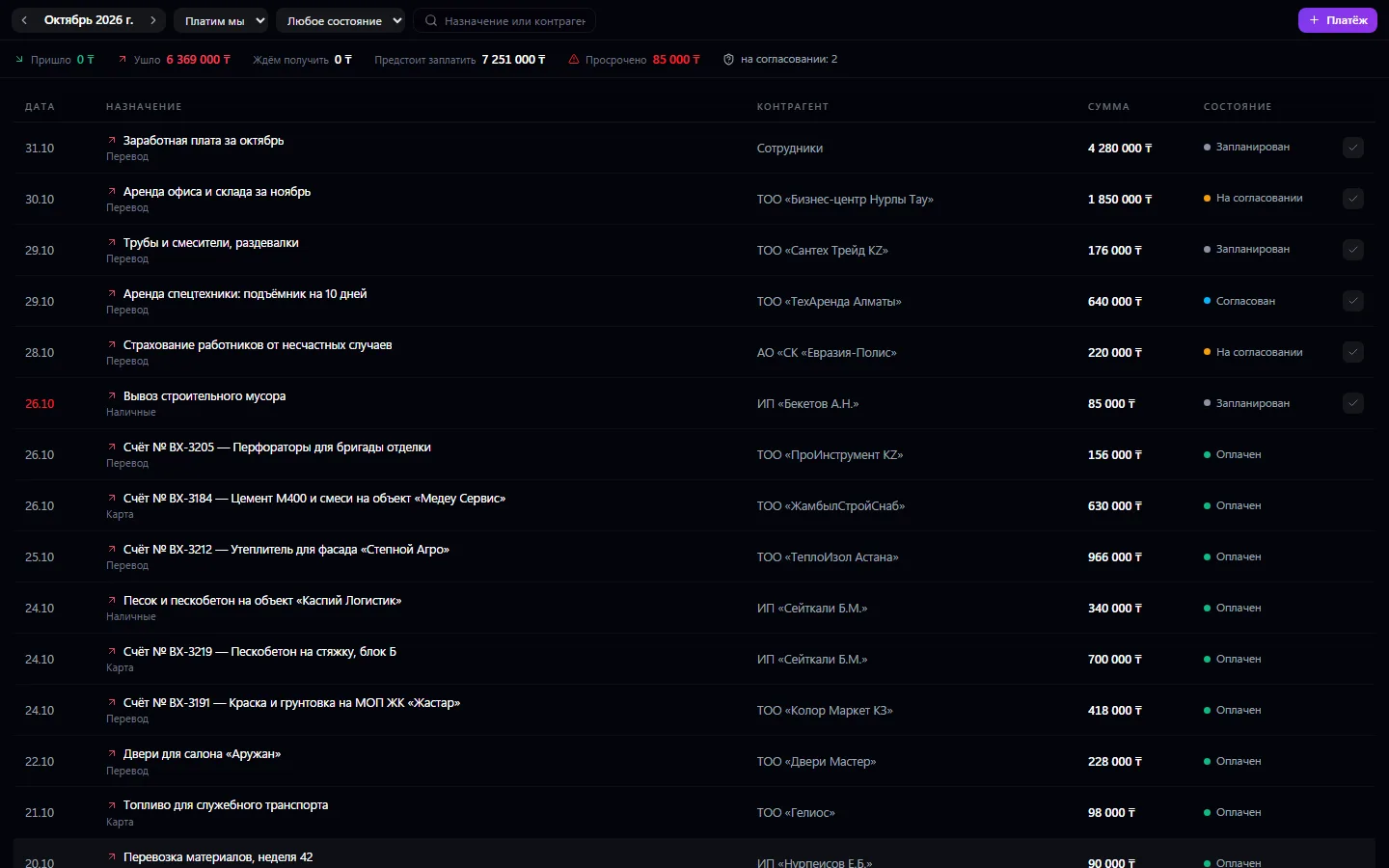
- Summary: received, sent, expected to receive, due to pay, overdue
- Overdue planned payments are highlighted in red
- Payment method: cash, card, transfer or other
- Linking a payment to a supplier, invoice, purchase and cash category
- A quick “paid” mark right in the register row
- Filters by direction and status, search by purpose and counterparty
- A “Related” block and change history in the payment card
What it looks like
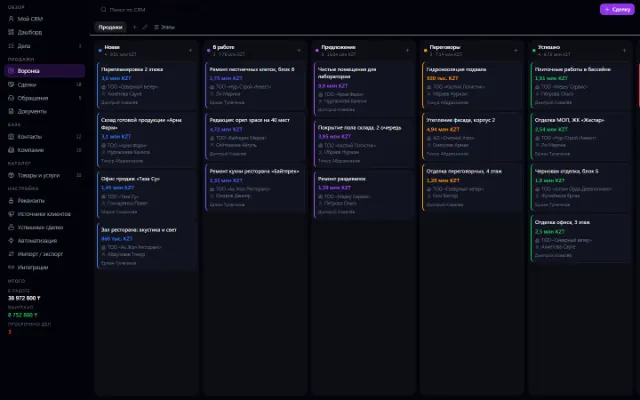
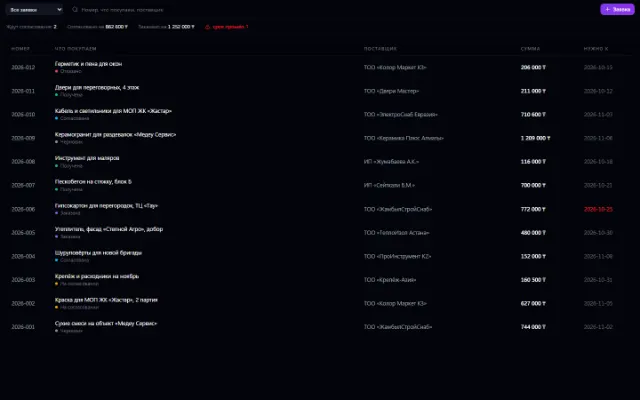
Real app windows with a fictional company as an example. Click a screenshot to enlarge it.

Works together with
- Invoices: a paid payment closes an invoice fully or partially
- Suppliers: a supplier shows how much has already been paid to it
- Payroll and Procurement create their payments here — the company has one cash desk
- Finance: the cash category puts the payment in the right report line
- Approvals: the request to the manager goes into the shared approval queue
Not connected yet
We are honest about what works only with an external provider or is still planned:
- There's no bank connection or statement import — the actual payment is marked manually
Need an integration for your company? Tell us about the task.
Related apps

Promotions
Discounts, promo codes, coupons and sign-ups for offers — for any company app
Learn more about the app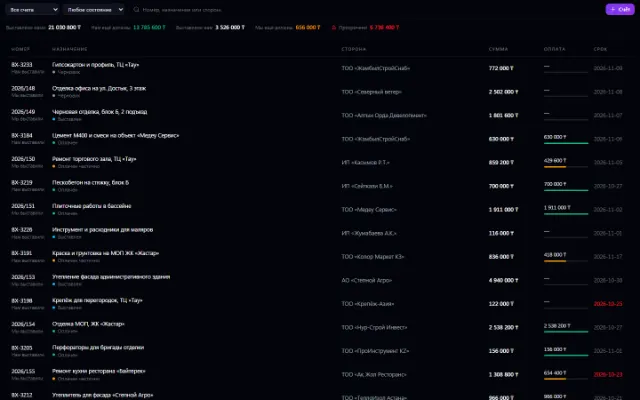

Warehouse
Stock, quality, procurement and sales in one business context
Learn more about the appTry Payments in your company
Connect your company — the app is enabled in the app store in a minute. If a feature is missing, the CODE44 team can build it for you free of charge.