
Live
Business HR
HR records on top of the org chart: cards, orders, documents, history
Learn more about the appAccruals, bonuses, deductions and payouts — month by month
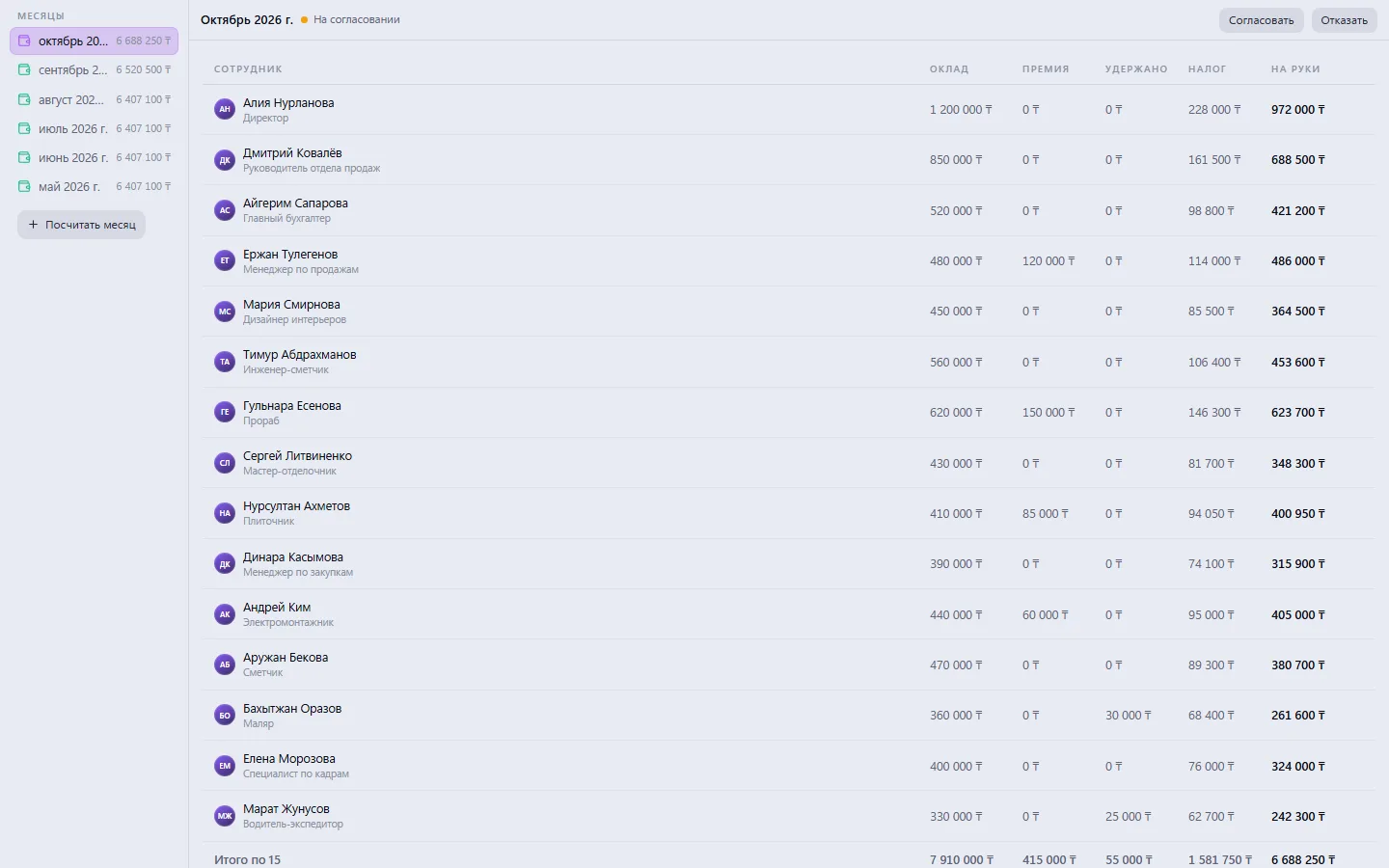
Monthly payroll: base salary, bonus, deductions and tax for each employee, with take-home pay calculated as you type. The sheet is built from the company roster in one click and remembers last month, so the next calculation is an edit, not a fresh start.
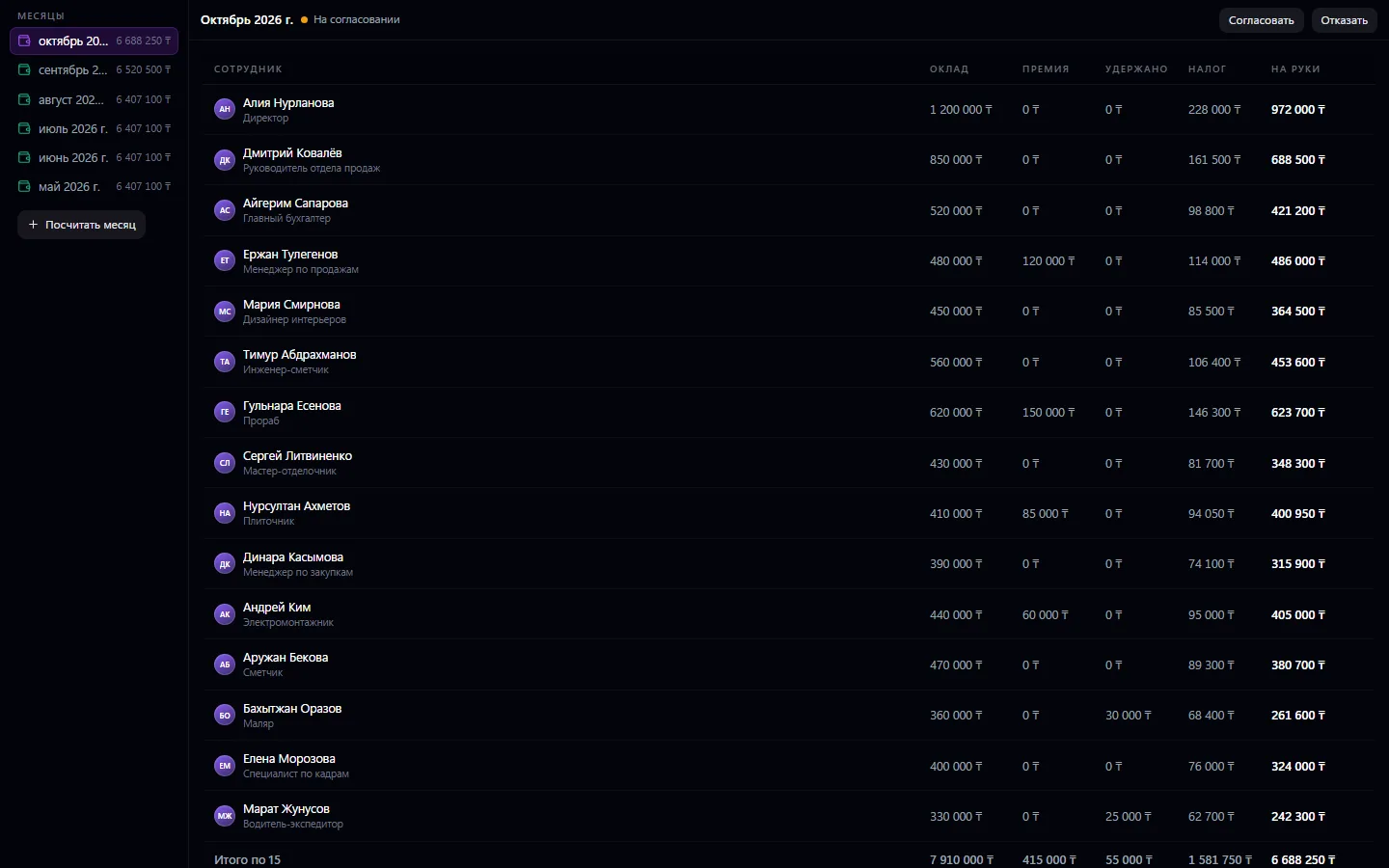
Monthly payroll: base salary, bonus, deductions and tax for each employee, with take-home pay calculated as you type. The sheet is built from the company roster in one click and remembers last month, so the next calculation is an edit, not a fresh start. The finished sheet goes to management for approval, and once approved it turns into payments in one action — one per employee, with a purpose and date. Paid payments go into Finance and count toward company expenses.
Click “Calculate month” — the lines are built from the company roster
Adjust salaries and enter bonuses, deductions and tax
Send the sheet to the manager for approval
After approval, create payments from the sheet in one action
Mark the payout in Payments — the expense goes into Finance
Real app windows with a fictional company as an example. Click a screenshot to enlarge it.


We are honest about what works only with an external provider or is still planned:
Need an integration for your company? Tell us about the task.
HR records on top of the org chart: cards, orders, documents, history
Learn more about the appConnect your company — the app is enabled in the app store in a minute. If a feature is missing, the CODE44 team can build it for you free of charge.