Live
Clinics
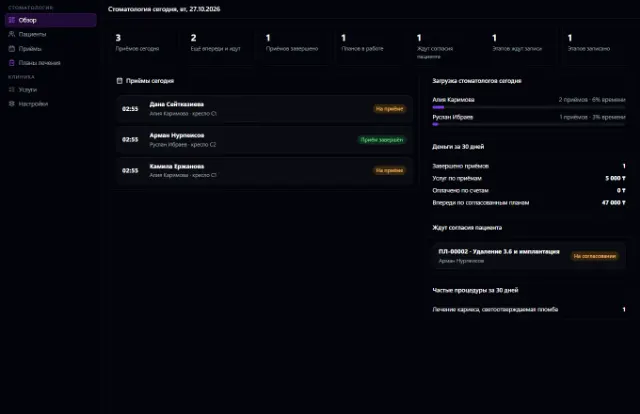
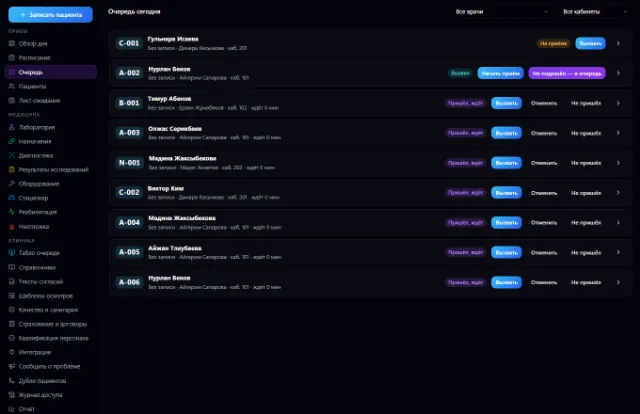
Appointments and a queue with a display board, doctor visits, medical records, lab and prescriptions — on top of CRM, calendar and invoices
Learn more about the appA register with a scanner, receiving with lots and expiry dates, prescriptions and product marking, shortage lists and a report for the pharmacy chain owner
Pharmacies is an app for a pharmacy or pharmacy chain that runs on top of the shared Warehouse. It has a register with prescriptions and product marking, receiving by delivery note, stock by lot, expiry dates, a shortage list, customer medicine reservations and an owner report.
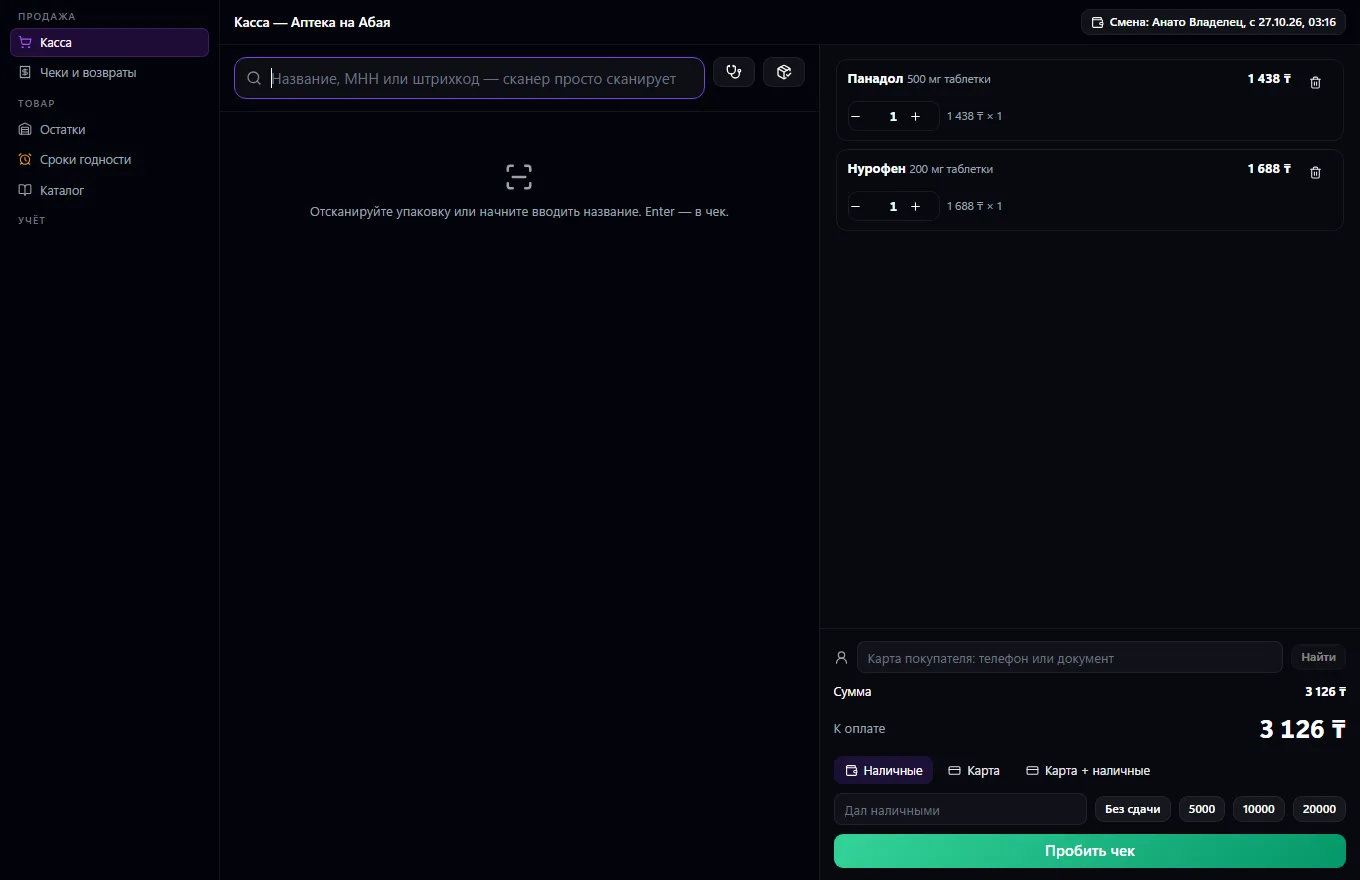
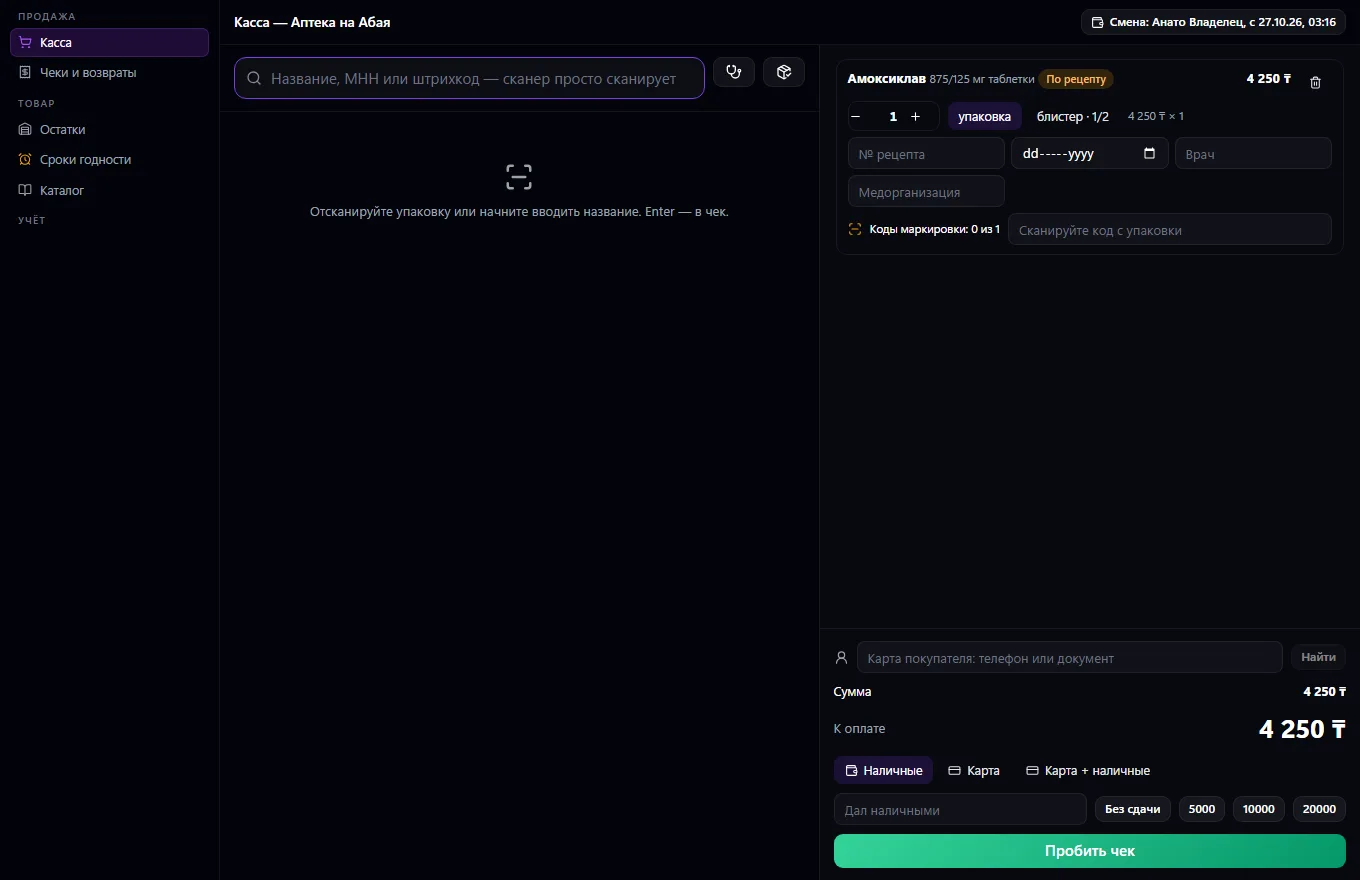
A pharmacy or pharmacy chain in one window on top of Warehouse. Register: search by name, INN and barcode, a handheld scanner and camera, selling by the pack or by part (blister, ampoule, sachet), INN-based alternatives if an item is out of stock. Prescription drugs require a prescription, controlled ones a log; a marking code for every pack. A customer card by phone with a cumulative discount.
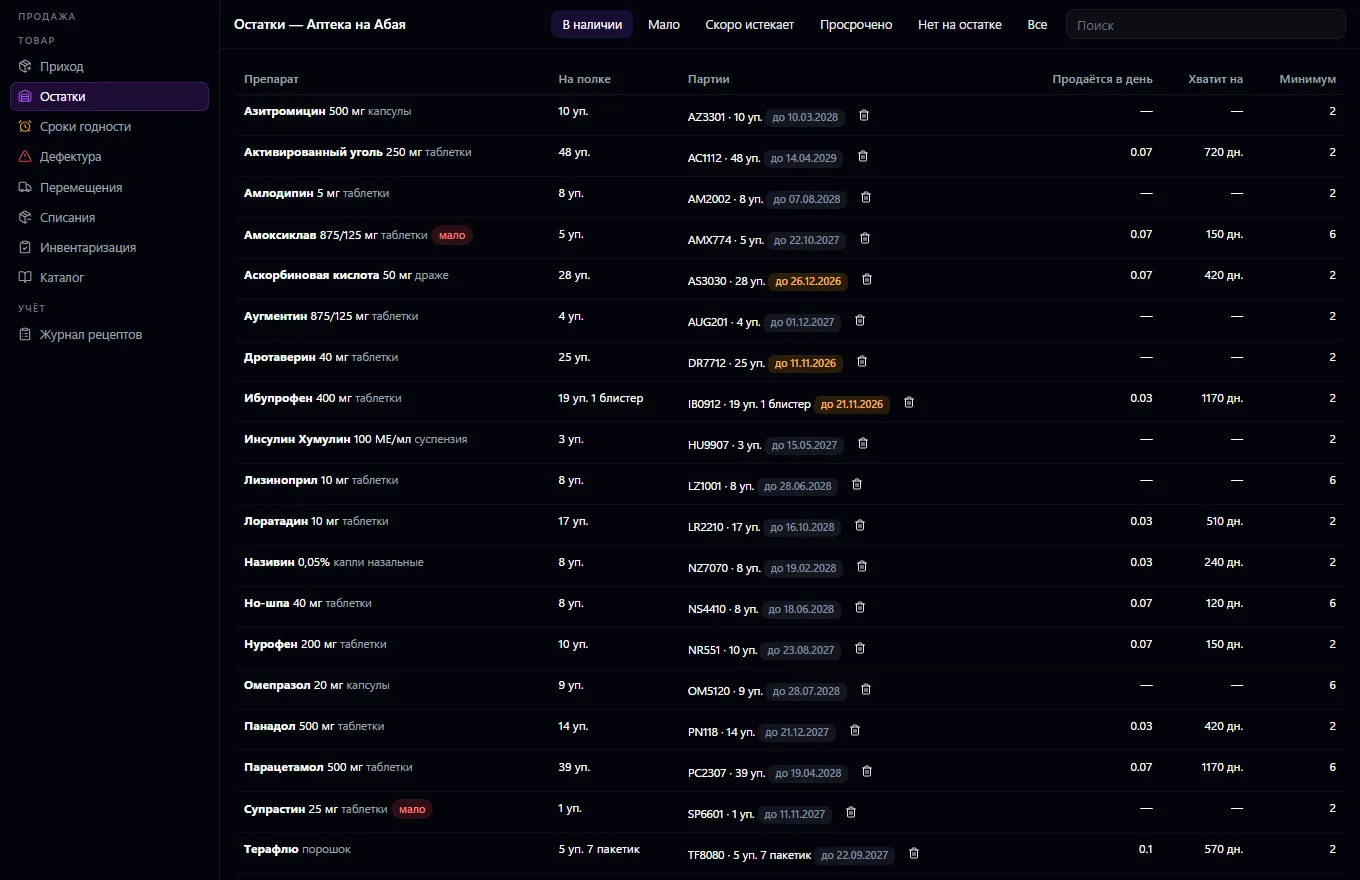
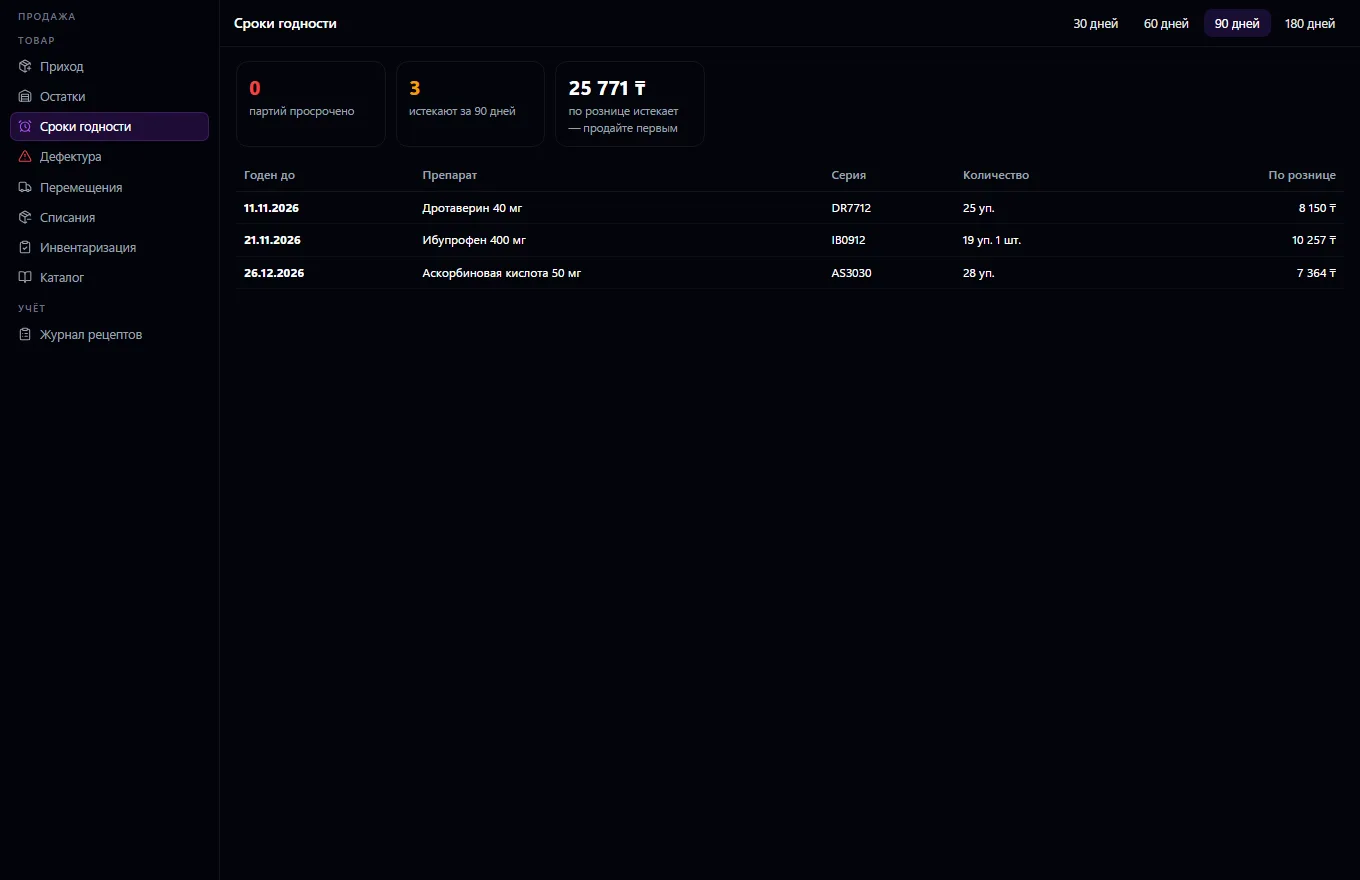
Payment in cash, by card or both, with change; the receipt is printed; a return by receipt puts the goods back into the same lot and quarantines it until a pharmacist clears it. A shift per pharmacy or one for each cashier: float, cash collection, X-report, closing with a cash count. Receiving by delivery note: lot, expiry date, purchase price, sale price by markup, marking codes; goods without an expiry date or already expired are not accepted; the supplier debt becomes an invoice. Stock by pharmacy, expiry dates in money terms, writing off expired goods with one button, writing off a lot with a reason (spoilage, breakage, loss — with Warehouse approval if enabled), stocktaking by lot, a ban on selling what is about to expire.
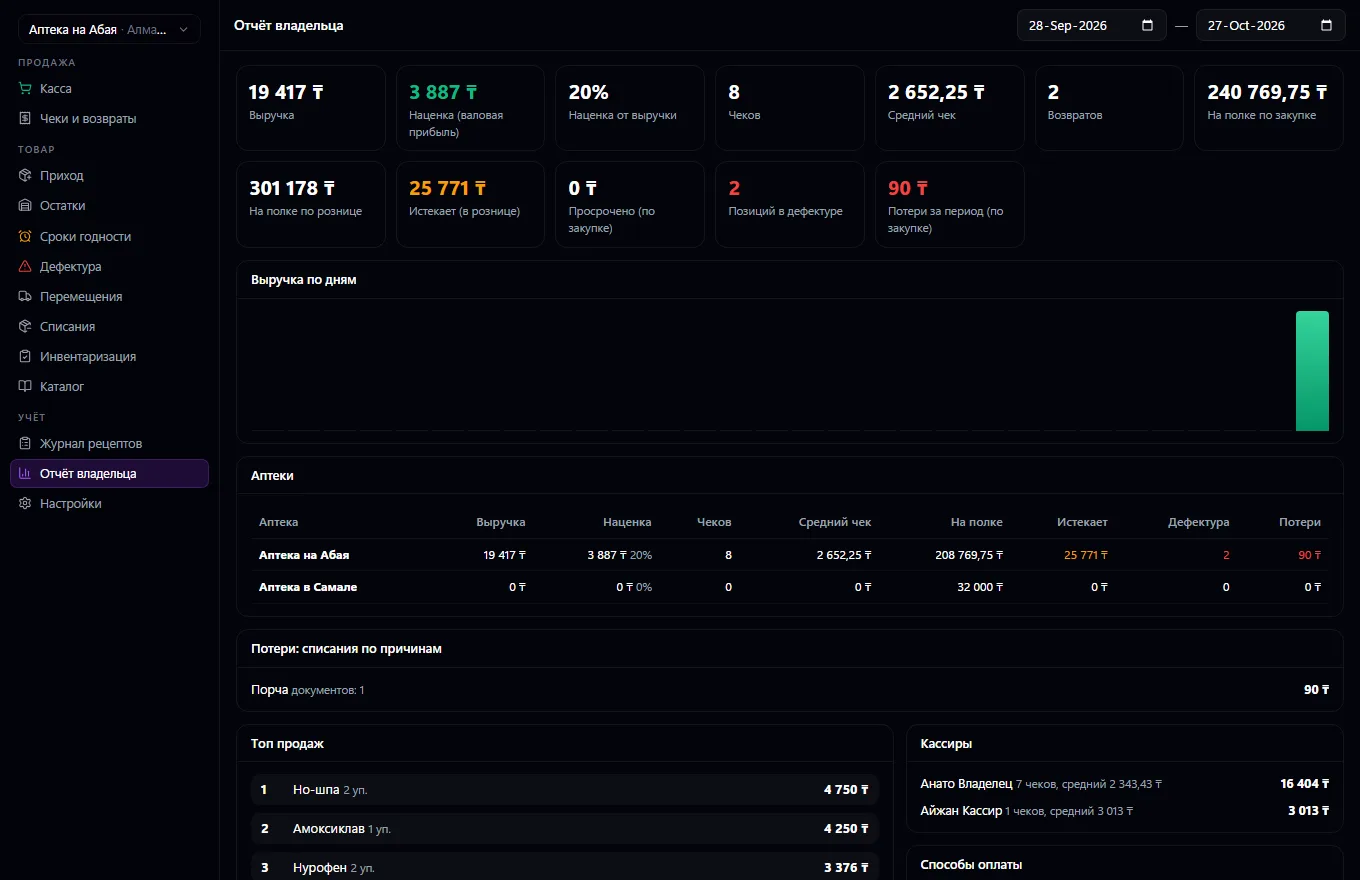
A shortage list — what's short by minimum and sales velocity — and a request to Procurement. Transfers between pharmacies. For the owner: revenue, markup, average ticket by pharmacy and cashier, top sellers, money on the shelf, what's expiring, losses by write-off reason. Who sells, receives and sees the report is chosen in settings: employees, departments, groups; warehouse permissions are granted automatically.
Customer medicine reservations by link: availability by pharmacy, “Packed” — the warehouse holds the goods, and pickup goes onto a receipt. A prescription from Clinics by the patient's code or phone — the drug goes onto the receipt with the prescription filled in, and the medical record shows “dispensed”. There's no fiscal receipt: an online cash register is not connected, and receipts are written to an internal log.
Set up the chain's pharmacies and the drug catalog, and choose in settings who sells, receives goods and sees the report
Receive goods by delivery note: lot, expiry date, purchase price and marking codes
Sell at the register: scanner or INN search, prescription and marking code for the drugs that need them, payment and receipt printing
Keep an eye on expiry dates and shortages, order what's missing through Procurement, transfer goods between pharmacies
Close the shift with a cash count, run stocktaking and write-offs
Review the owner report: revenue, markup, losses and money on the shelf for each pharmacy
Real app windows with a fictional company as an example. Click a screenshot to enlarge it.

We are honest about what works only with an external provider or is still planned:
Need an integration for your company? Tell us about the task.
Appointments and a queue with a display board, doctor visits, medical records, lab and prescriptions — on top of CRM, calendar and invoices
Learn more about the appOdontogram, dental visits and treatment plans — on top of Clinics, CRM, calendar and invoices
Learn more about the appConnect your company — the app is enabled in the app store in a minute. If a feature is missing, the CODE44 team can build it for you free of charge.